

Datum, by Lorne Systems
Inspection reports that have been through three pairs of hands
Datum records inspections of bridges, structures and highway assets on site, then takes every report through author, reviewer and approver before it is issued. Built by a bridge engineer who reviews these reports for a living.
Trials are opened by access code while card payments are being switched on. Reply within a working day.
Who it is for
Asset owners
Councils, bridge boards, estates and infrastructure owners who commission inspections and keep the register.
Inspection companies and consultancies
Teams running inspections for several clients, each kept in its own workspace.
Independent inspectors
One engineer, one workspace, reports that look like they came from a bigger firm.
From site to issued report
Record on site
Open the asset on a phone or tablet, choose the form and scope, rate each component, photograph defects and allocate permanent defect references. Drafts save on the device first and send when connected.
Submit for review
The checker and reviewer see comments against individual findings as well as the whole report. Unresolved comments block approval. Everyone can see who holds the next action.
Approve and issue
Approval is an authenticated sign-off against the exact revision: identity, role and timestamp. The issued PDF is locked and carries a hash so anyone can check it later.
What is in it
Only things that exist today. Nothing on this page is a roadmap.
Configurable, not bridge-shaped
Asset types, inspection types, forms, rating scales, evidence rules, approval routes and report layouts are all configuration. Bridges are the first worked example; roads and other structures follow the same model.
Workspaces kept apart
Each subscriber has its own workspace and asset register. An owner can invite a contractor in with access limited to the commissioned assets. An inspection company can run a project for a client who does not subscribe.
Previous findings carried forward
The latest issued record of every component and defect is there when the next inspection starts. Each defect is marked no change, deteriorated, improved or repaired, with a fresh photograph where the severity demands it.
Standards recorded, never assumed
Which standards, editions and client policies applied is recorded on each inspection. A form is only described as supporting a standard once it has been checked against the source document, with the check recorded.
People and qualifications
Job titles, memberships and inspection certifications with expiry dates. Self-declared qualifications are shown as such until an administrator has checked them.
Sign-in that stands up
Password plus an authenticator app for anyone who creates workspaces, administers people or approves reports. Permissions and issued-revision locking are enforced on the server, not just in the browser.
What it looks like
From the demonstration workspace. Every organisation, person and bridge in these screens is fictional.
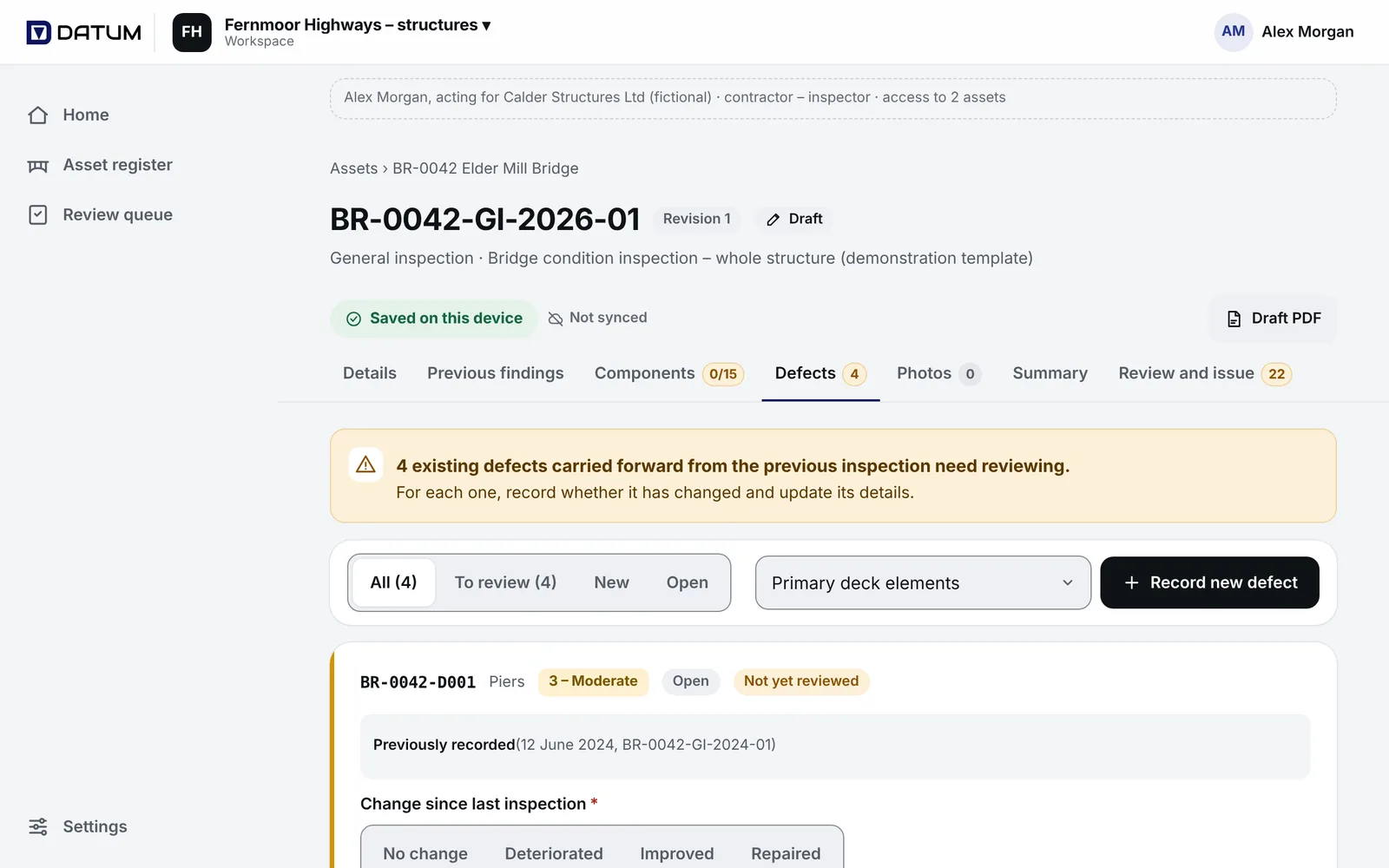
Defects carried forward
Every open defect from the last issued report is there, with its permanent reference. The inspector marks each one no change, deteriorated, improved or repaired.
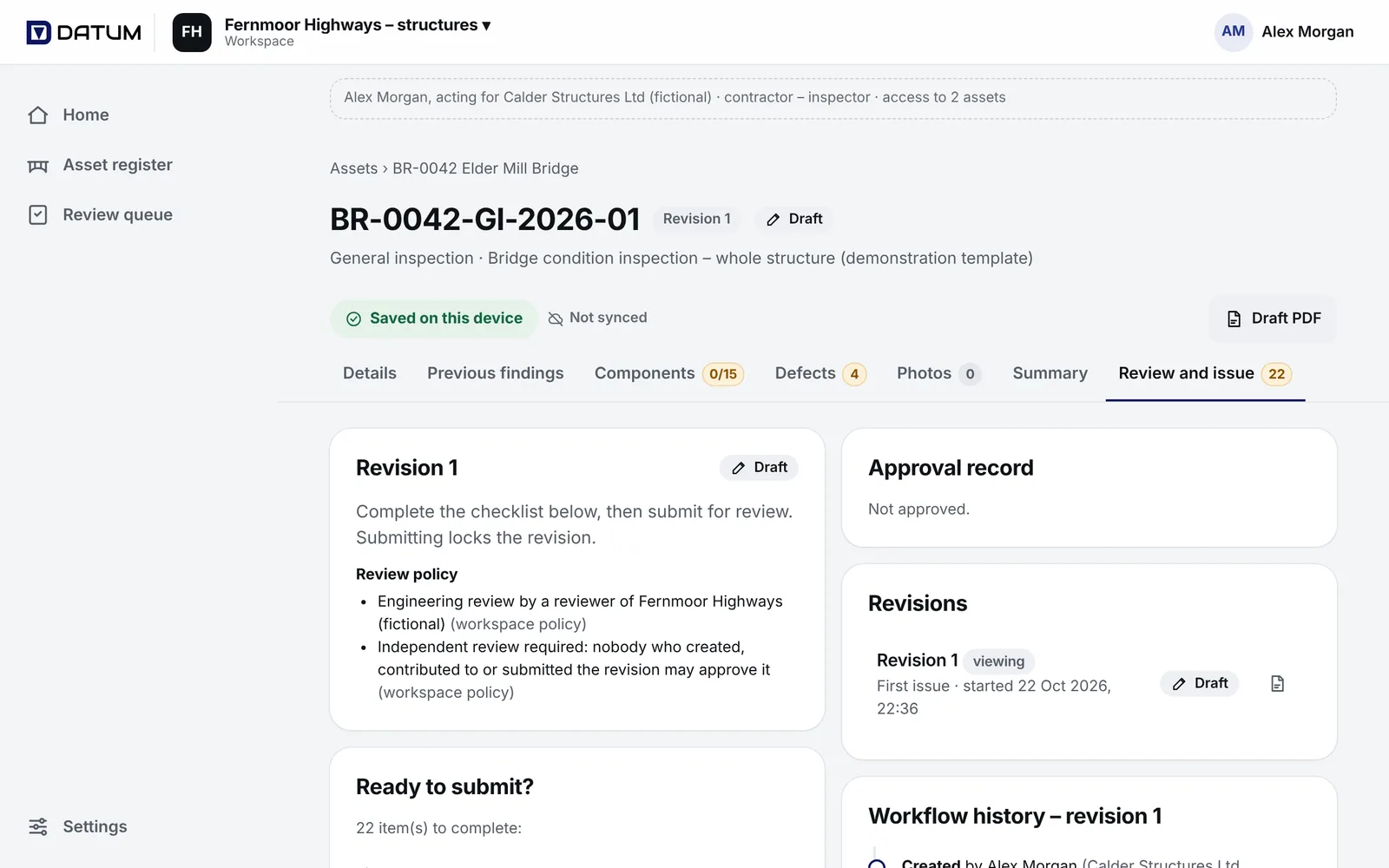
Review and issue
The checklist that has to be complete before a revision can be submitted, the review policy that applies, and the workflow history for this revision.
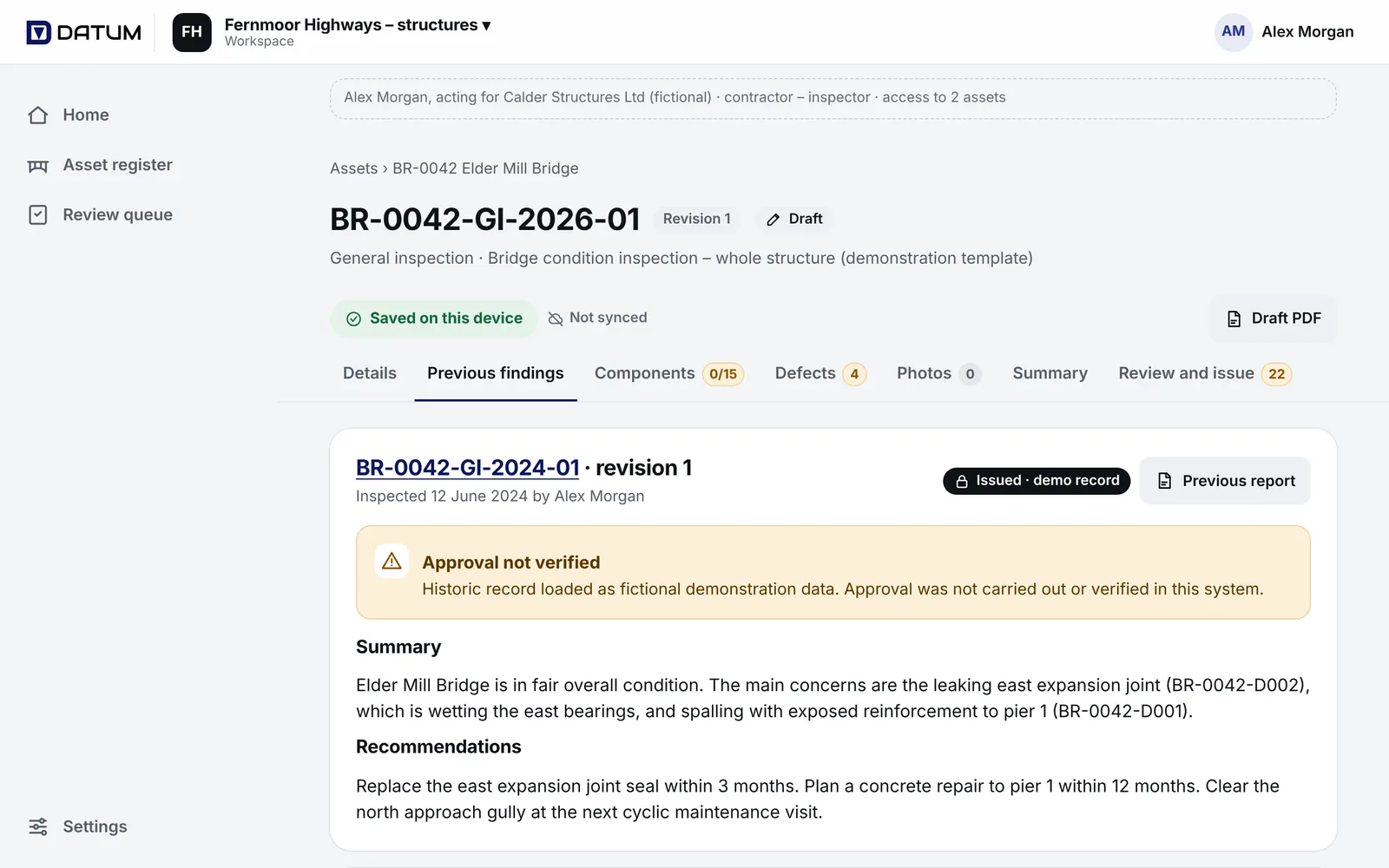
Previous findings
The last issued report's summary, recommendations and the latest record of each component, on screen while the new inspection is recorded.
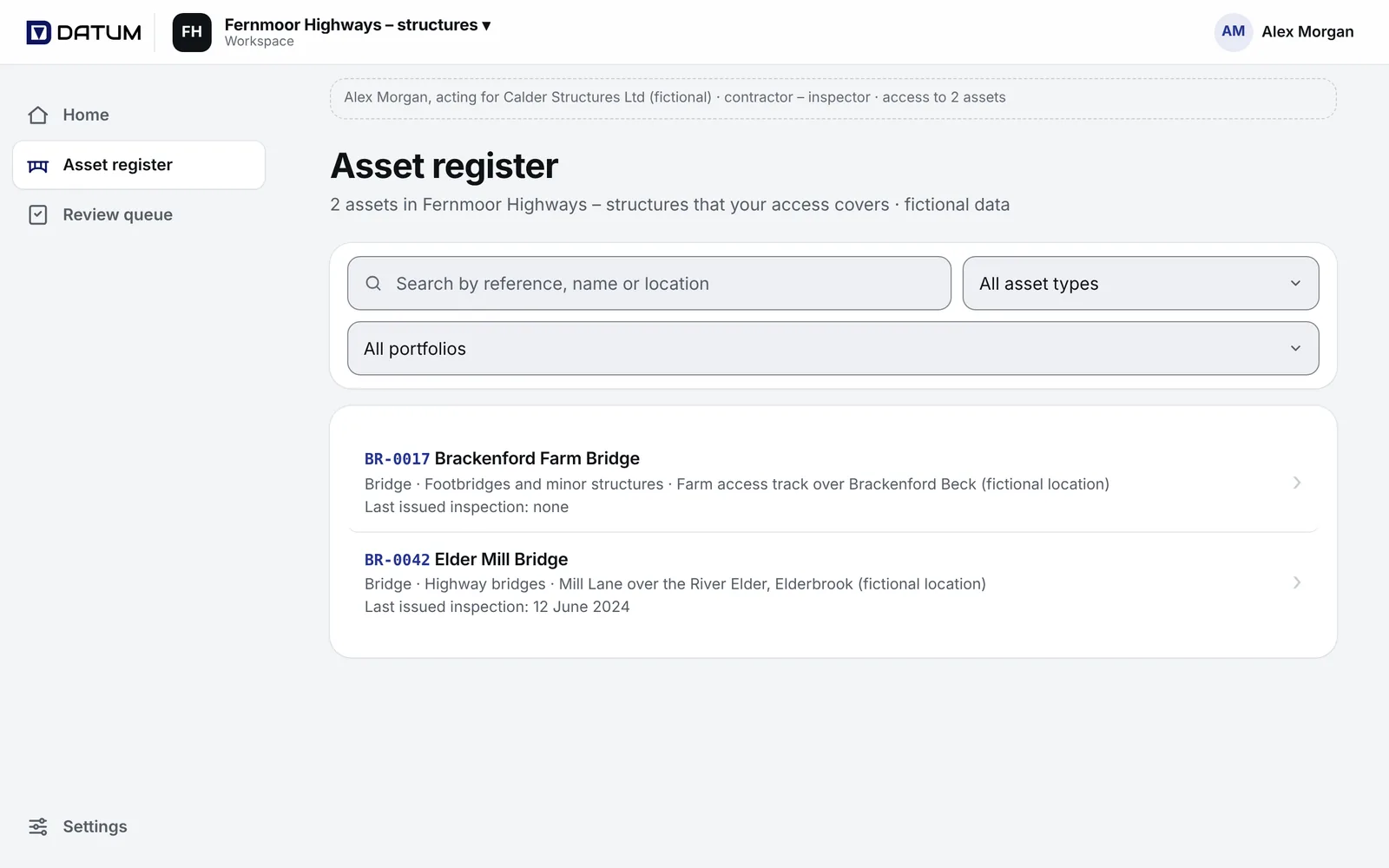
Asset register
A contractor sees only the assets it has been commissioned to inspect. The owner sees everything.
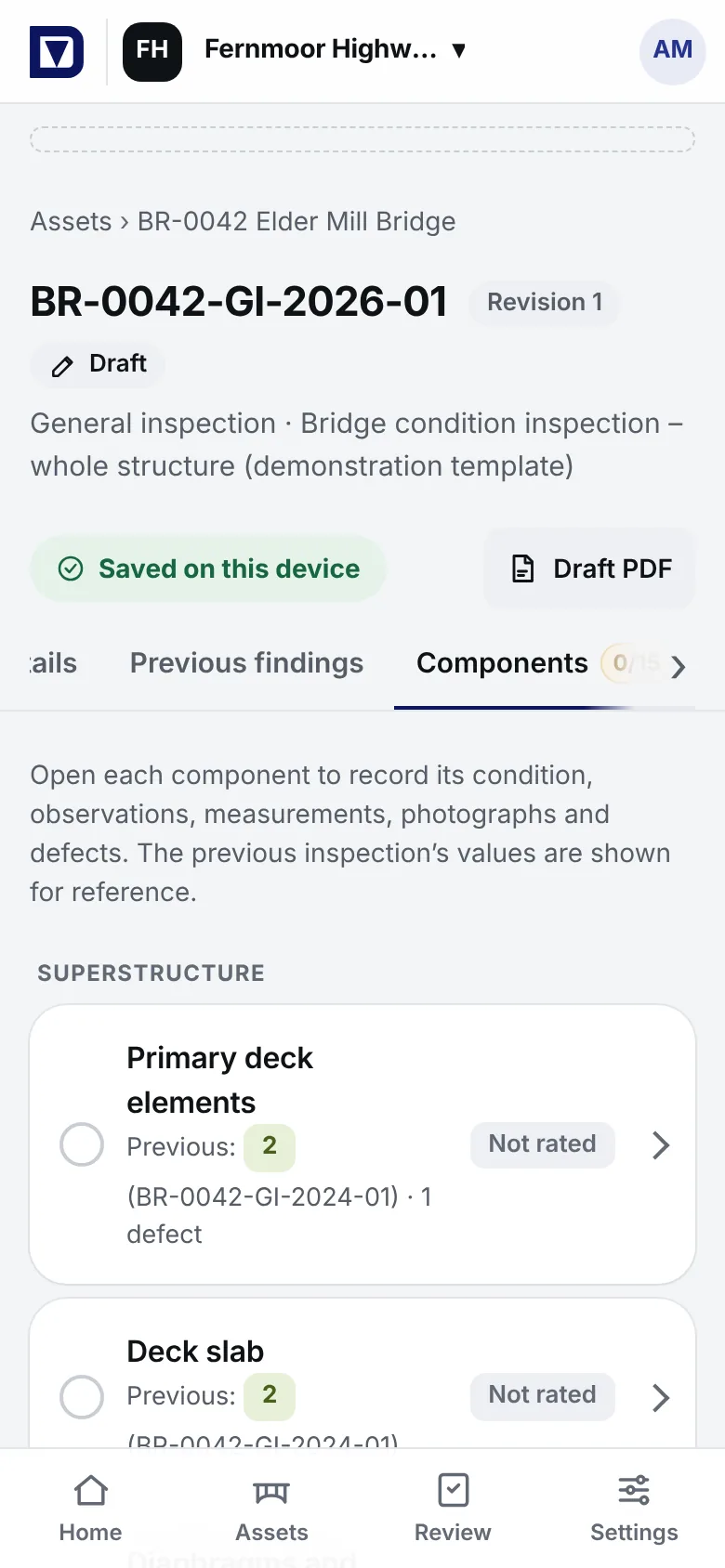
On site, on a phone
Components grouped as the structure is built, with the previous rating beside each one. Drafts save on the device and send when there is signal.
Download an example issued report
A safety inspection of a fictional sign gantry, issued by Datum: document control, scope and basis, the hazard found, who checked and approved it, the photograph record, and the fingerprint anyone can use to verify the file. PDF, 6 pages.
Pricing
Indicative, excluding VAT. Confirmed when card payments open. Viewers are always free.
Solo
£39 a month
One inspector or engineer
- 1 paying user, viewers free
- 1 workspace
- 20 GB of photographs and reports
Team
£35 per user a month
A small inspection company or consultancy
- Minimum 3 paying users
- Viewers and commissioned workers free
- 10 GB per paying user
Organisation
£4,500 a year
Councils, bridge owners, larger consultancies
- 15 paying users included, then £250 a year each
- Several workspaces
- Invoice billing
A workspace holds one subscriber's asset register, people and reports. Commissioned contractors and client viewers are invited in free of charge. Pilots for the first customers are arranged directly: email support@datuminspect.app.
What Datum does not claim
Datum does not claim compliance with any inspection standard, including DMRB. Which standards apply to an asset is the owner's decision, recorded on each inspection. A form is only described as supporting a standard after it has been checked against the current source document. Approval in Datum is a record of who signed what and when; it does not replace the competence of the people signing.
Looking for paper first? Site documents are on the shelf, and digital site forms are on the way.